PHP2Shell (CVE-2026-109618 & CVE-2026-109619): How to Patch PHP on Your Linux Servers
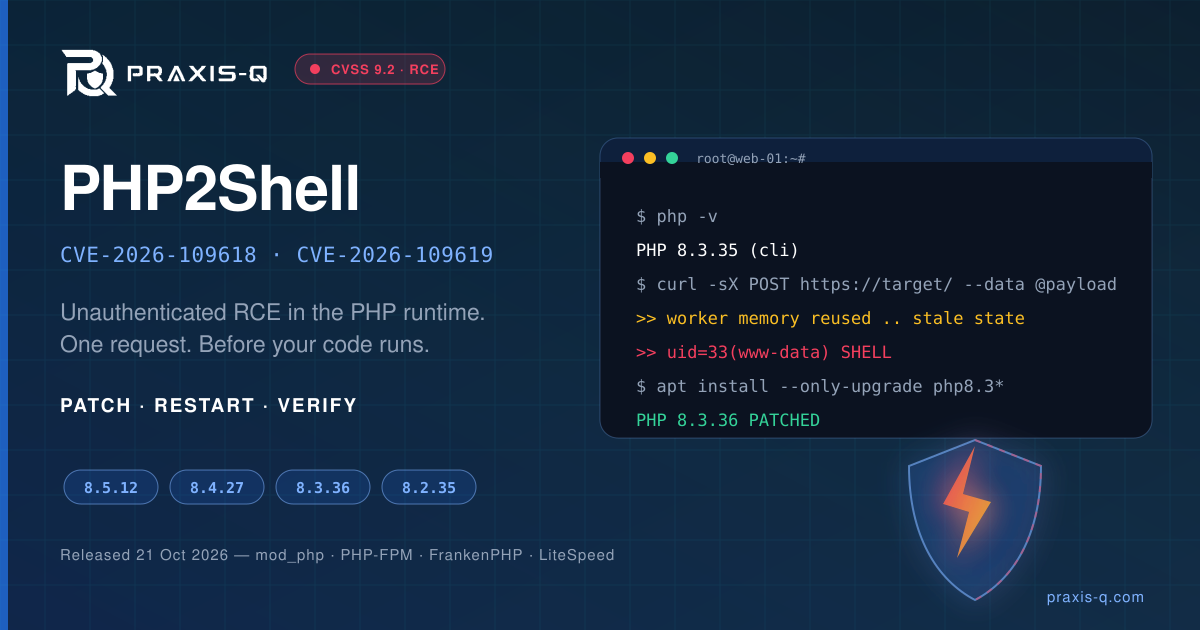
On 21 October 2026 the PHP project shipped an emergency security release — PHP 8.5.12, 8.4.27, 8.3.36 and 8.2.35 — fixing two critical remote code execution flaws now circulating as PHP2Shell. Both are rated CVSS v4.0 9.2, both are reachable by an unauthenticated HTTP request, and both sit in the PHP runtime itself — your application code can be perfect and the server is still exploitable.
The official advisory is blunt about the remedy: "There are no complete mitigations, updating is the only safe choice." This guide is the operator's version — what to check, the exact commands per distribution, what to restart, and how to prove the patch is actually live.
What the two CVEs actually are
| CVE | Title | Mechanism |
|---|---|---|
| CVE-2026-109618 | RCE via OOM corruption | Out-of-memory handling can interrupt PHP while internal request data is only partially initialised; request cleanup then treats that invalid data as valid. |
| CVE-2026-109619 | RCE via stale global state | Request-owned internal state can survive after its backing memory is freed. A later request on the same worker may use that stale state before initialisation resets it. |
Three details decide how urgent this is for you:
- It is pre-application. A working exploit needs a single unauthenticated request and triggers before any of your PHP code runs. WAF rules, auth gates and application hardening do not sit in front of it.
- Every common SAPI is in scope — PHP-FPM, Apache with mod_php, php-cgi, FrankenPHP and LiteSpeed. mod_php carries the highest risk, because the vulnerable worker is the web server process itself.
- Memory disclosure without RCE. Researchers also demonstrated reading live worker memory — credentials, session tokens, API keys and private keys belonging to other requests — which makes post-patch credential rotation a real decision, not a formality.
The defective code paths date back roughly two decades, so assume every PHP build you run is vulnerable until you have checked its version.
Fixed versions
| Branch | Vulnerable | Fixed |
|---|---|---|
| 8.5 | < 8.5.12 | 8.5.12 |
| 8.4 | < 8.4.27 | 8.4.27 |
| 8.3 | < 8.3.36 | 8.3.36 |
| 8.2 | < 8.2.35 | 8.2.35 |
| 8.1 and earlier | All | No upstream fix — end of life. The security team published minimal source backports for 7.4, 8.0 and 8.1 for people who build from source; otherwise you depend on a distribution backport. |
Distribution packages do not carry upstream version numbers. Ubuntu, Debian and RHEL backport the fix into their own package revision, so php -v showing 8.3.6 is not evidence of anything. Check the package version, not the PHP banner.
Step 1 — Inventory every PHP on the box
The common failure on patch night is patching the version your main site uses and leaving a second runtime installed for one legacy vhost, a CLI cron, or an old staging app. Enumerate first:
# every PHP version installed (Debian/Ubuntu)
ls /etc/php
dpkg -l 'php*' | awk '/^ii/{print $2, $3}'

# every PHP version installed (RHEL/Alma/Rocky)
rpm -qa 'php*' | sort
dnf module list --enabled php

# what is actually serving requests right now
ps -eo pid,comm,args | grep -E 'php-fpm|lsphp|frankenphp|httpd|apache2' | grep -v grep
systemctl list-units --type=service --state=running | grep -E 'php|httpd|apache|lsws'

# every php binary on disk, including hand-built ones
for b in $(ls /usr/bin/php* /usr/local/bin/php* /opt/*/bin/php* 2>/dev/null); do printf '%s: ' "$b"; "$b" -v 2>/dev/null | head -1; done
Step 2 — Patch
Ubuntu and Debian (distribution packages)
sudo apt-get update
apt list --upgradable 2>/dev/null | grep -i php

# repeat per installed version (8.3 shown)
sudo apt-get install --only-upgrade -y \
  -o Dpkg::Options::="--force-confold" \
  $(dpkg -l 'php8.3*' | awk '/^ii/{print $2}') libapache2-mod-php8.3
--only-upgrade stops apt pulling in new packages; --force-confold keeps your existing php.ini and FPM pool configs. Reference package versions that contain the fix:
| Release | Package | Fixed revision |
|---|---|---|
| Ubuntu 22.04 | php8.1 | 8.1.2-1ubuntu2.28 |
| Ubuntu 24.04 | php8.3 | 8.3.6-0ubuntu0.24.04.13 |
| Ubuntu 26.04 | php8.5 | 8.5.4-0ubuntu1.5 |
| Debian 12 | php8.2 | 8.2.35-1~deb12u1 |
| Debian 13 | php8.4 | 8.4.27-1~deb13u1 |
Ubuntu 18.04 / 20.04 are out of standard support — the fix is behind Ubuntu Pro ESM:
sudo pro fix CVE-2026-109618
sudo pro fix CVE-2026-109619
Ubuntu with the ondrej/sury repositories
Most multi-version servers (and anything provisioned by Forge, RunCloud or a similar panel) install PHP from Ondřej Surý's packages, which are not covered by unattended-upgrades. Confirm the source exists, then check the candidate before installing:
ls /etc/apt/sources.list.d/   # expect ondrej-php.list or php.list
sudo apt-get update
apt-cache policy php8.3-fpm   # Candidate must be 8.3.36-* or newer
If the candidate is still the old version, the mirror has not synced yet — wait and re-check rather than assuming you are patched.
RHEL, AlmaLinux and Rocky Linux
sudo dnf clean metadata
sudo dnf updateinfo list --security | grep -i php
sudo dnf upgrade 'php*'

# Remi SCL-style parallel installs, per version
sudo dnf upgrade 'php83-*' 'php84-*'
On RHEL 8/9 the php module stream governs which branch you get; a stream pinned to an EOL branch will never offer the fix, and the move to a supported stream is the fix.
Amazon Linux
sudo dnf updateinfo info --cve CVE-2026-109618
sudo dnf upgrade 'php*'
AL2023 packages for PHP 8.2–8.5 arrived on a rolling basis immediately after disclosure — if the CVE shows no advisory, re-run after a metadata refresh. Amazon Linux 2 core php and AL2023 php8.1 have no fix planned: those hosts need a migration to a supported branch, not a patch. Elastic Beanstalk users should move to a platform version released after 21 October; Lightsail PHP blueprints must be re-provisioned.
Alpine and containers
# Alpine 3.24+/edge (PHP 8.3, 8.4, 8.5 fixed; 8.2 is not)
apk update && apk upgrade php83 php83-fpm

# Docker: pull the patched tag, rebuild, recreate — do not just restart
docker pull php:8.3.36-fpm
docker build --pull -t myapp:patched .
docker compose up -d --force-recreate
Release-candidate images (8.5.12RC1, 8.4.27RC1) predate the fix. A running container keeps the old runtime in memory until it is recreated — docker restart on an unrebuilt image changes nothing.
cPanel, Plesk and CloudLinux
# cPanel / EasyApache 4 — patches every installed alt-php
yum clean metadata && yum update 'ea-php*' 'alt-php*'
/scripts/restartsrv_apache_php_fpm

# CloudLinux
yum update 'alt-php*' && cagefsctl --force-update
Step 3 — Restart everything that holds PHP in memory
This is where patches silently fail. The package upgrade restarts PHP-FPM; it does not touch mod_php inside an already-running Apache, and it does not touch long-lived CLI workers.
| Setup | Command |
|---|---|
| PHP-FPM (Debian/Ubuntu) | sudo systemctl restart php8.3-fpm |
| PHP-FPM (RHEL family) | sudo systemctl restart php-fpm |
| Apache + mod_php (Debian/Ubuntu) | sudo systemctl restart apache2 |
| Apache + mod_php (RHEL family) | sudo systemctl restart httpd |
| LiteSpeed / OpenLiteSpeed | sudo pkill lsphp |
| FrankenPHP | sudo systemctl restart frankenphp |
| Queue workers, Horizon, Octane, Reverb | php artisan queue:restart && php artisan horizon:terminate && php artisan octane:reload |
| Supervisor-managed workers | sudo supervisorctl restart all |
| systemd timers / cron PHP daemons | sudo systemctl restart <your-unit> |
A graceful reload is not enough for mod_php. apachectl graceful and systemctl reload keep the old shared object mapped. Only a full stop/start swaps the runtime.
Step 4 — Prove the patch is live
# 1. the binaries
php -v
php8.3 -v
php-fpm8.3 -v        # RHEL: php-fpm -v

# 2. the package actually installed
dpkg -l 'php8.3-fpm' | awk '/^ii/{print $3}'          # Debian/Ubuntu
rpm -q php-fpm                                         # RHEL family

# 3. the CVE in the vendor changelog (Ubuntu)
zgrep -E 'CVE-2026-10961[89]' /usr/share/doc/php8.3-fpm/changelog.Debian.gz
rpm -q --changelog php-fpm | head -20                  # RHEL family

# 4. nothing is still running a deleted (old) PHP image
sudo grep -lE ' /(usr|lib|opt).*\(deleted\)$' /proc/[0-9]*/maps   # empty = clean
sudo needrestart -b -r l                                          # Debian/Ubuntu

# 5. what the web server reports, not just the CLI
curl -sI https://example.com | grep -i x-powered-by
Step 4 matters as much as step 2: the CLI binary and the FPM pool are separate processes, and a patched php -v with an unrestarted pool is still a vulnerable server. Searchlight Cyber also published an open-source php2shell-scanner if you want external confirmation that a host is no longer exposed.
One-shot audit across a fleet
Drop this on a jump host to separate the patched from the pending before you start clicking:
#!/usr/bin/env bash
# php2shell-audit.sh — run against an inventory of hosts, one per line
set -u
while read -r h; do
  [ -z "$h" ] && continue
  out=$(ssh -o BatchMode=yes -o ConnectTimeout=5 "$h" '
    for b in /usr/bin/php[0-9]* /usr/bin/php /usr/local/bin/php; do
      [ -x "$b" ] || continue
      v=$("$b" -r "echo PHP_VERSION;" 2>/dev/null)
      echo "cli $b $v"
    done
    for f in /usr/sbin/php-fpm*; do
      [ -x "$f" ] || continue
      echo "fpm $f $("$f" -v 2>/dev/null | head -1 | awk "{print \$2}")"
    done
    stale=$(sudo -n grep -lE " /(usr|lib|opt).*\(deleted\)\$" /proc/[0-9]*/maps 2>/dev/null | wc -l)
    echo "stale-maps $stale"
  ' 2>/dev/null) || { echo "$h UNREACHABLE"; continue; }
  echo "=== $h"; echo "$out"
done < hosts.txt
Compare each reported version against the fixed-version table, and treat any non-zero stale-maps count as "patched on disk, still vulnerable in memory".
If you genuinely cannot patch today
These reduce the known public exploit paths. The PHP team is explicit that they are not complete fixes — treat them as a few hours of cover, not a decision.
# php.ini / FPM pool — mitigations for CVE-2026-109619
session.upload_progress.enabled = 0
session.use_strict_mode = 1
fatal_error_backtraces = 0     ; PHP 8.5 only

# mitigations for CVE-2026-109618
memory_limit = -1              ; counter-intuitive: the bug is IN the OOM path, so stop PHP
                               ; reaching it. Set it where apps cannot override (FPM pool:
                               ; php_admin_value[memory_limit] = -1) and pair with the limits below.
post_max_size = 8M             ; 32M only if uploads require it
upload_max_filesize = 8M

# FPM: recycle workers aggressively so stale state cannot be reused
pm.max_requests = 1
sudo systemctl restart php8.3-fpm # every worker must be recycled for this to applyDo not use RLIMIT_AS or RLIMIT_DATA to cap memory — PHP warns these can trigger the same vulnerable code path. Also cap request body size at the edge (client_max_body_size in nginx, LimitRequestBody in Apache). For PHP 8.1 and older with no vendor backport, the honest options are a supported branch today or the site offline.
Cloudflare shipped WAF rules for the known exploit shapes on all plans, including free, and reported attackers mutating payloads within hours. Imunify360 and other host-level WAFs followed. Useful, not sufficient.
Assume exposure: check whether you were hit
Exploitation attempts were observed before and within hours of disclosure — Amazon's MadPot honeypot recorded an attempt on 17 October 2026, four days ahead of the public release, and multiple vendors reported live attempts on 21 October. If your server was internet-facing and unpatched during that window, verify rather than assume.
Indicators worth grepping for:
# unusual multipart requests followed by 500s or memory errors
sudo grep -E 'POST' /var/log/nginx/access.log | awk '$9 ~ /500|502/' | tail -50
sudo grep -iE 'Allowed memory size|Out of memory' /var/log/php*-fpm.log /var/log/php_errors.log 2>/dev/null | tail -50

# unexplained worker restarts / segfaults
sudo journalctl -u php8.3-fpm --since '14 days ago' | grep -iE 'exited|SIGSEGV|segfault|restart'
sudo dmesg -T | grep -iE 'segfault|php'

# abnormally large session cookies in responses (a documented exploit side effect)
sudo grep -oE 'PHPSESSID=[^;]{40,}' /var/log/nginx/access.log | head

# post-exploitation basics
sudo find /var/www -type f -name '*.php' -newermt '2026-10-14' -ls
sudo ls -la /tmp /dev/shm /var/tmp
sudo crontab -l; sudo ls -la /etc/cron.d/ /etc/systemd/system/ | tail -30
sudo last -20; sudo grep -i 'accepted' /var/log/auth.log | tail -20
Because the flaws permit reading other requests' worker memory, a host that was exposed and reachable should also have its secrets rotated: database credentials, API keys, session and app encryption keys, OAuth client secrets, and any TLS private key loaded by the PHP process. Invalidate active sessions after the rotation, not before.
A sane patch order when you run more than a handful of hosts
- Internet-facing mod_php first. Highest risk, no application-layer buffer.
- Internet-facing PHP-FPM and LiteSpeed next, including staging hosts — staging is usually unpatched, publicly reachable and shares credentials with production.
- Shared hosting / multi-tenant boxes, where one vulnerable alt-php exposes every account on the node.
- Internal apps and admin panels, reachable only via VPN or allowlist.
- CLI-only hosts and containers last, then rebuild images so the next deploy does not reintroduce the old runtime.
Then close the loop that caused the gap: if your PHP comes from a third-party repository, your unattended-upgrades configuration almost certainly does not patch it, and the next emergency release will find you in the same position.
Frequently Asked Questions
Q: My application does not use file uploads or sessions. Am I still vulnerable?
A: Yes. Both flaws are in the PHP runtime's request handling, and a demonstrated exploit fires before any application code executes. Application-level features you do or do not use are not what determines exposure — the PHP version and SAPI are.
Q: Does a WAF protect me until I can patch?
A: Only partially. Cloudflare and host-level WAFs shipped rules for the known exploit shapes, and payload mutation was observed within hours of those rules going live. Treat WAF coverage as cover for the hours it takes you to patch, not as a substitute.
Q: php -v shows 8.3.6, not 8.3.36. Am I unpatched?
A: Not necessarily. Ubuntu, Debian and RHEL backport the fix into their own package revisions and keep the upstream version string, so the banner is misleading. Compare the package version (dpkg -l php8.3-fpm / rpm -q php-fpm) against your vendor's advisory, or grep the changelog for the CVE IDs.
Q: I am on PHP 8.1 or 7.4 — what are my options?
A: There is no upstream patch; 8.1 and earlier are end of life. Your options are a distribution or LTS-vendor backport if one exists for your platform, a source build with the published minimal backports, or an upgrade to a supported branch. Where none of those is available today, taking the service offline is the only safe position.
Q: Do I need to reboot the server?
A: No — a reboot is a blunt way to achieve what a full restart of PHP-FPM, the web server and every long-running PHP worker achieves. Verify with the deleted-maps check or needrestart; if that comes back clean, nothing is still running the old runtime.
Q: We patched. Do we have to rotate credentials as well?
A: If the host was internet-facing and unpatched at any point after the exploit became public, treat it as a possible memory-disclosure event and rotate the secrets that the PHP process could read. For hosts that were never exposed, or were patched before exposure, rotation is a judgement call based on your logs.
Patching is the whole fix here, and everything else is sequencing and verification. If you want an independent check that your estate is actually patched — runtime versions, stale workers, exposed staging hosts, and whether a disclosure window needs a rotation plan — talk to our team. Our VAPT and penetration testing and SOC-as-a-Service engagements cover exactly this: finding the hosts your inventory missed, and watching for the exploitation attempts that follow a release like this one.
How this article was made: drafted with AI assistance from Praxis-Q's audit checklists and engagement experience, then fact-checked and edited by our consultants before publishing. Corrections: hello@praxis-q.com.
Free Consultation
Ready to Get Compliant?
ISO 27001, PCI DSS, HIPAA, SOC 2 & more — fast-track in a few weeks.
Tags
Share this article
Sahil Dubey
Compliance & Security Expert
Praxis-Q’s compliance and offensive-security practitioners deliver ISO 27001, SOC 2, PCI DSS, HIPAA, GDPR and DPDP engagements for banks, payment gateways and regulated fintechs.